How to Reduce Workplace Incidents with Digital Safety Training
Workplace incidents can result from insufficient training, poor safety awareness, incorrect procedures and a lack of consistent employee assessments. Traditional training methods often make it difficult for organizations to track employee understanding, manage certifications and maintain safety compliance across multiple locations.
Digital safety training provides a more structured approach to workplace education. With workplace safety software, interactive learning platforms and AI powered safety training kiosks, businesses can deliver consistent training, assess employee knowledge and monitor safety compliance.
Whether in manufacturing, construction, oil and gas, warehousing or other industrial environments, digital safety training helps employees understand workplace risks and follow established safety procedures.
Why Is Digital Safety Training Important for Workplace Safety?
Workplace safety training helps employees recognize potential hazards, understand safety procedures and respond appropriately to emergencies.
However, traditional training approaches may involve manual attendance records, classroom sessions, paper based assessments and separate certification records. These processes can make training management difficult, particularly in organizations with large workforces or multiple facilities.
Digital safety training addresses these challenges through:
- Consistent training: Deliver standardized safety instructions across departments and locations.
- Improved knowledge retention: Use interactive learning materials, videos and assessments.
- Employee accountability: Maintain individual training and assessment records.
- Faster onboarding: Provide structured safety induction for new employees and contractors.
- Compliance monitoring: Track completed courses, certifications and upcoming renewals.
- Centralized reporting: Access training records and compliance information through digital platforms.
A well implemented digital training process helps organizations build a stronger workplace safety culture.
What Is Digital Workplace Safety Training?
Digital workplace safety training is the use of software, interactive platforms and connected devices to educate employees about workplace hazards, safety procedures, compliance requirements and emergency response.
Unlike conventional classroom training, digital solutions allow employees to access learning materials, complete assessments and receive training certifications through a centralized system.
A digital safety training ecosystem may include:

Workplace Safety Training Software
Manages employee training programs, course assignments and progress.

Safety Assessment Software
Evaluates employee understanding through digital tests and assessments.

Safety Compliance Tracking Software
Monitors mandatory training, certification status and compliance requirements.

Online Induction Software
Delivers structured induction programs for new employees and contractors.

Safety Training Kiosks
Provides self-service access to safety videos, induction modules and assessments.
These technologies help organizations manage training activities while maintaining consistent safety standards.
7 Ways Digital Safety Training Helps Reduce Workplace Incidents
1. Standardize Employee Safety Induction
Employees need to understand workplace rules, operational hazards and emergency procedures before starting their responsibilities.
Digital induction platforms provide structured training modules covering:
- Workplace rules and safety policies.
- Personal protective equipment requirements.
- Emergency evacuation procedures.
- Equipment handling instructions.
- Hazard identification and reporting.
Safety Induction Software helps organizations deliver consistent induction programs and maintain employee training records.
2. Deliver Interactive Safety Education
Employees may find it difficult to retain information from lengthy presentations or printed safety documents.
Interactive Training Software makes learning more engaging through videos, visual demonstrations, quizzes and scenario based assessments.
For example, a manufacturing employee can learn machine safety procedures through instructional videos and complete a digital assessment before accessing relevant operational areas.
This approach helps employees understand safety instructions rather than simply attending training sessions.
3. Automate Safety Assessments
Training attendance alone does not confirm whether employees understand safety procedures.
Digital assessments help organizations evaluate employee knowledge after each training session.
A Safety Assessment Software solution can support:
- Multiple choice assessments.
- Topic based knowledge tests.
- Automated scoring.
- Training completion records.
- Identification of employees requiring additional training.
Organizations can use assessment results to identify knowledge gaps and arrange additional training where necessary.
4. Monitor Training Compliance and Certifications
Expired certifications and incomplete training can create compliance gaps.
Workplace Compliance Software helps organizations monitor mandatory training requirements, employee certifications and renewal schedules.
Important capabilities include:
- Employee certification tracking.
- Training completion monitoring.
- Expiry notifications and reminders.
- Department wise compliance reports.
- Digital training documentation.
Certification Tracking Software makes it easier for safety teams to identify employees who need refresher training or certification renewal.
5. Improve Contractor and Visitor Safety Induction
Contractors and temporary workers may enter industrial facilities without being familiar with site specific safety procedures.
Online Induction Software and Contractor Management Software can help organizations deliver relevant safety instructions before work begins.
Digital induction programs can cover:
- Site specific hazards.
- Restricted areas and access rules.
- Emergency contact information.
- Personal protective equipment guidelines.
- Work authorization requirements.
This helps maintain consistent safety awareness among permanent employees, contractors and other authorized personnel.
6. Provide Multilingual Safety Training
Language barriers can affect how employees understand safety instructions, especially in organizations with a diverse workforce.
A multilingual safety training platform allows employees to access learning materials in languages they understand.
Training content can include translated instructions, audio guidance, videos and assessments.
This makes safety education more accessible across different locations, departments and employee groups.
7. Analyze Training Performance Through Digital Reports
Without accurate training records, safety managers may struggle to identify incomplete training programs and recurring knowledge gaps.
Compliance Reporting Software provides centralized information about employee participation, assessment performance, certification status and training completion.
These reports help management:
- Identify departments with incomplete training.
- Monitor employee assessment scores.
- Review certification expiry dates.
- Plan refresher training.
- Evaluate training program effectiveness.
Digital reporting supports better safety decisions and more organized compliance management.
What Is a Training Matrix in Workplace Safety?
A training matrix in workplace safety is a structured record that maps employee roles against their required safety training, qualifications and certifications.
It helps organizations identify which employees have completed mandatory training and which employees require additional instruction or certification renewal.
A digital training matrix can include:
| Training Information | Purpose |
|---|---|
| Employee details | Identify individual employees and departments |
| Job role | Determine role specific training requirements |
| Required courses | List mandatory safety training programs |
| Completion status | Track completed and pending courses |
| Assessment results | Evaluate employee understanding |
| Certification dates | Monitor validity and renewal requirements |
| Refresher schedule | Identify upcoming training needs |
When integrated with Training Management Software, the training matrix can be updated using employee training records and assessment results.
This provides safety managers with a clearer view of workforce training compliance.
How Does a Safety Training Kiosk Help Reduce Workplace Incidents?
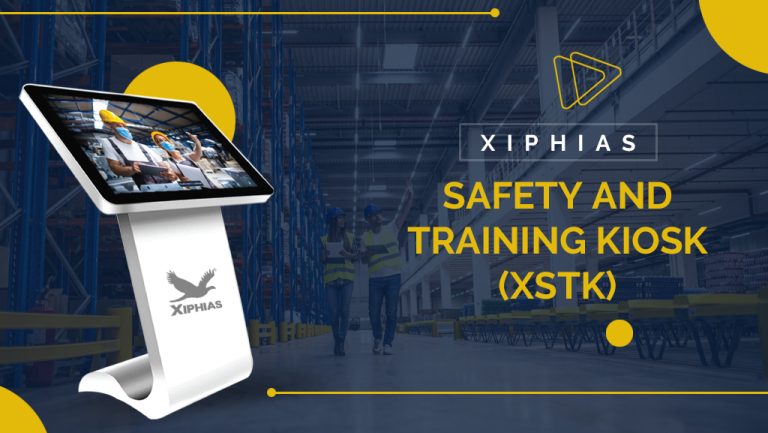
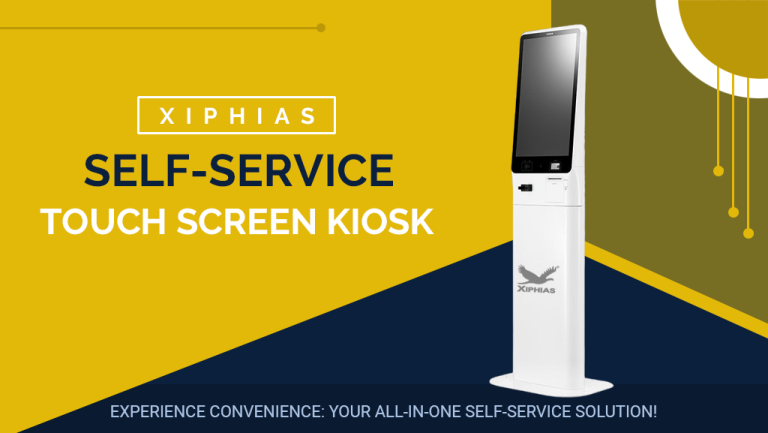
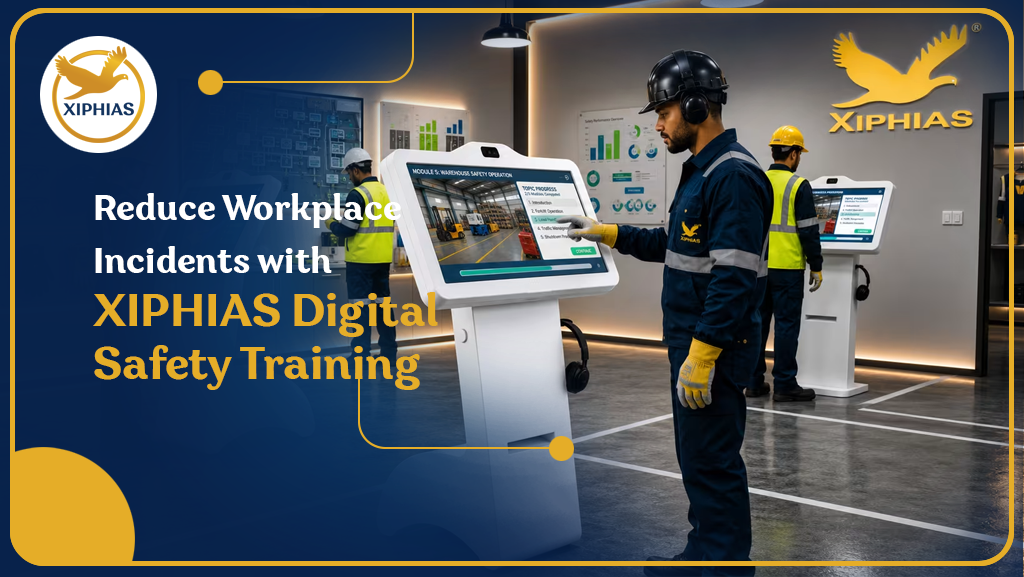
A Safety Training Kiosk is a self service digital platform that allows employees and contractors to complete safety induction, access training materials and take assessments through an interactive touchscreen.
Unlike conventional classroom sessions that require a trainer to manage every session, a self service kiosk allows employees to complete assigned training through a guided digital process.
An AI Safety Training Kiosk can support workplace training through features such as:
- Touchscreen Learning: Employees access safety instructions, videos and interactive modules.
- Face Recognition: Identifies registered employees for personalized training access.
- Biometric Authentication: Supports employee identification and attendance verification.
- RFID and QR Login: Allows employees to access training using authorized identification methods.
- Multilingual Learning: Provides training content in multiple languages.
- Digital Assessments: Evaluates employee knowledge after completing training.
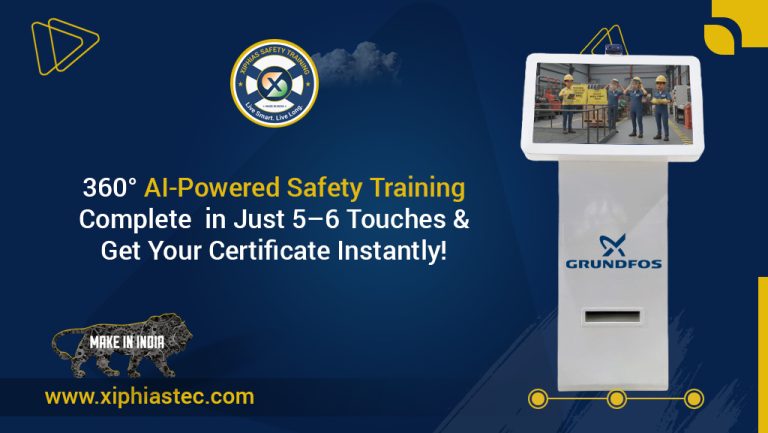
- Instant Certification: Generates training completion certificates based on configured requirements.
- Centralized Reporting: Helps safety managers monitor employee progress and training records.
- Offline Training: Supports configured training activities in locations with limited internet connectivity.
A biometric safety training kiosk can be particularly useful in facilities where employees need quick and structured access to mandatory safety education.
Where Can Safety Training Kiosks Be Used?
Digital safety training kiosks can support employee induction and compliance training across several industrial environments.
Manufacturing Facilities
Provide machine safety instructions, equipment handling procedures, PPE guidelines and factory induction.
Construction Sites
Deliver site specific induction, working at heights awareness, equipment safety and emergency response instructions.
Oil and Gas Facilities
Support hazard awareness, fire safety, confined space procedures and operational safety induction.
Warehouses and Logistics
Train employees on material handling, forklift safety, loading procedures and warehouse emergency protocols.
Chemical and Pharmaceutical Industries
Provide training on chemical handling, hazardous material awareness, protective equipment and emergency procedures.
Workplace Safety Software vs Traditional Safety Training
Organizations can choose between conventional training methods and digital training platforms depending on workforce size, operational requirements and compliance needs.
| Comparison | Traditional Training | Digital Safety Training |
|---|---|---|
| Training delivery | Classroom sessions | Software and interactive kiosks |
| Attendance | Manual records | Digital attendance tracking |
| Assessments | Paper based tests | Automated digital assessments |
| Training records | Spreadsheets and documents | Centralized digital records |
| Certification | Manual processing | Digital certification workflows |
| Reporting | Manual preparation | Automated reporting capabilities |
| Accessibility | Depends on trainer availability | Available through configured digital platforms |
Digital training does not eliminate the need for practical demonstrations, instructor led sessions or specialized hands on training. Instead, it complements these activities by improving training delivery, documentation and monitoring.
How to Choose the Right Workplace Safety Training Software?
Selecting the right workplace safety training software depends on an organization’s workforce, training requirements and compliance objectives.
Before implementing a solution, consider these factors:
- Training Management: Check whether the platform supports course creation, employee assignments and training schedules.
- Assessment Capabilities: Look for digital tests, automated scoring and employee performance tracking.
- Compliance Monitoring: Ensure the system supports certification tracking, expiry reminders and compliance reporting.
- Integration: Check compatibility with HRMS, ERP and existing EHS Software.
- Multilingual Support: Choose a solution that accommodates employees from different language backgrounds.
- Access and Authentication: Evaluate face recognition, biometric, RFID or QR based login options.
- Scalability: Ensure the platform can support multiple departments, facilities and locations.
- Reporting: Look for centralized dashboards and reports that help safety teams monitor training performance.
For organizations with large industrial workforces, combining workplace safety software with self service training kiosks can provide a more accessible and organized training environment.
How XIPHIAS Digital Safety Training Solutions Support Workplace Compliance
XIPHIAS provides digital safety training solutions designed to simplify employee induction, workplace education and training management.
The XIPHIAS AI Powered Safety Training Kiosk combines interactive touchscreen learning with employee identification, digital assessments and training certification capabilities.
Its key capabilities include:
- AI powered interactive safety training.
- EHS and HSSE induction modules.
- Face recognition and biometric authentication.
- Multilingual training content.
- Digital assessments and instant certification.
- Breath analyzer integration where configured.
- HRMS integration and customized workflows.
- Centralized training records and reporting.
- Offline first training capabilities.
Organizations can use these capabilities to deliver structured safety induction and improve visibility into employee training activities.
The solution can be configured for different workplace environments, including manufacturing plants, construction sites, oil and gas facilities and warehouses.
Explore the XIPHIAS Safety and Training Software to learn more about its digital safety training capabilities.
Frequently Asked Questions
1. How can digital safety training reduce workplace incidents?
Digital safety training helps employees understand workplace hazards, follow safety procedures and demonstrate their knowledge through assessments. It also helps organizations track training completion and identify employees who need additional instruction.
2. What is workplace safety training software?
Workplace safety training software is a digital platform used to create, deliver, manage and monitor employee safety training programs. It can include course management, assessments, certification tracking and compliance reporting.
3. What is the difference between safety training software and an LMS?
A Learning Management System (LMS) manages general employee learning and development programs. Safety training software focuses on workplace safety education, hazard awareness, compliance requirements, safety assessments and certification tracking. Some platforms combine both capabilities.
4. How does a safety training kiosk work?
A safety training kiosk provides employees with touchscreen access to digital induction modules, safety videos and assessments. Employees can log in through configured identification methods, complete assigned training and receive digital completion records or certificates.
5. What industries benefit from digital safety training?
Manufacturing, construction, oil and gas, chemicals, pharmaceuticals, warehousing, logistics, power and utilities are among the industries that can benefit from digital safety training.
6. Can workplace safety training software track employee certifications?
Yes. Suitable platforms can track training completion, certification dates, validity periods and renewal requirements. They can also provide notifications and reports to help organizations manage compliance.
7. Can safety training kiosks support multiple languages?
Yes. Multilingual safety training kiosks can provide learning materials, instructions and assessments in multiple languages, depending on the software configuration and available content.
8. Is a safety training kiosk better than an LMS?
They serve complementary purposes. An LMS is useful for managing online learning across an organization, while a safety training kiosk provides a dedicated physical access point for employee induction and assessments. Organizations can integrate both approaches to support different training requirements.
Conclusion
Reducing workplace incidents requires more than distributing safety guidelines or conducting occasional training sessions. Employees need consistent education, regular assessments and a clear understanding of workplace hazards.
Digital solutions such as workplace safety training software, Safety Assessment Software and AI powered safety training kiosks help organizations organize these activities while improving training visibility and compliance monitoring.
By combining digital learning with practical safety instruction, businesses can strengthen employee awareness, improve training management and build a more proactive workplace safety culture.