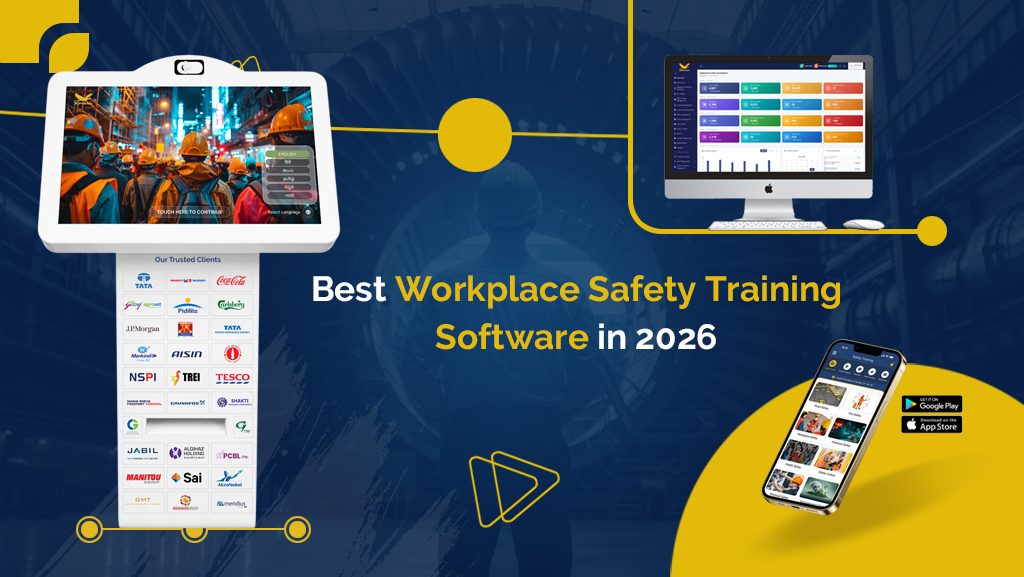
Best Workplace Safety Training Software in 2026
Safety training that runs on paper logs, spreadsheets and one-time inductions leaves gaps. Workers forget what they were taught, records go missing, and supervisors can’t say with confidence who is trained. Those gaps usually show up during an audit or after an incident.
Workplace safety training software fixes this by delivering training digitally, testing understanding, issuing certificates and tracking everything in one place. This guide compares the main types of employee safety training software and safety training management software available in 2026, what each does best, and how to choose the right one for your workplace.
What Is Workplace Safety Training Software?
Workplace safety training software is a digital platform that delivers safety lessons, assesses employees, issues certifications and keeps compliance records. Most platforms include:
- Training content such as videos, guides and interactive modules
- Quizzes and assessments
- Automatic certificates
- Dashboards and reports for supervisors and admins
- Reminders for refresher training and expiring certifications
The right tool replaces manual tracking with a live view of who is trained, who isn’t and where the risk sits.
Employee Safety Training Software vs Safety Training Management Software
These terms are often used interchangeably, but they emphasize different things:
- Employee safety training software focuses on the worker experience: delivering lessons, quizzes, inductions and certificates to employees, contractors and visitors.
- Safety training management software focuses on the admin side: scheduling, assigning training by role, tracking completion, managing certificate expiry and generating audit reports across sites.
- Workplace safety training software is the broad term, and most good platforms combine both.
When evaluating options, check that a platform handles both: a smooth experience for employees and strong management and reporting for your safety team.
Why It Matters
- Consistent training: Every worker gets the same quality of training, regardless of shift, site or supervisor.
- Audit readiness: Safety training management software stores records digitally and exports them in seconds.
- Better retention: Video, audio and quizzes work better than reading a handout.
- Less admin work: Certificates, reminders and reports are automated.
- Lower risk: Gaps in training are spotted early instead of after an incident.
Key Features to Look For
Before comparing options, decide which of these matter most for your workplace:
- Assessments and instant certification: Employees should be tested and certificates should generate on passing.
- Multilingual content: Essential for diverse or multi-region workforces.
- Role-based training: Employees see only the modules relevant to their job.
- Real-time dashboards and reports: Visibility across sites, teams and contractors.
- Training management and compliance tracking: Scheduling, expiry alerts, refresher cycles and exportable audit records.
- Customization: Your own branding, content and site-specific procedures.
- Easy access: Works for employees who don’t have individual desks or laptops.
- Ease of rollout: Quick setup with minimal disruption to operations.
Types of Workplace Safety Training Software Compared
| Type | Best for | Strengths | Limitations |
|---|---|---|---|
| Kiosk-based employee safety training software | Factories, plants, warehouses, construction sites | Shop-floor access, quick inductions, no personal device needed | Needs kiosk hardware |
| Mobile app-based training | Distributed and field teams | Learn anytime, easy on-demand access | Depends on workers having devices |
| Learning management systems (LMS) | Organizations with wide training programs | Broad course management, scalable | Can be complex and less suited to quick shop-floor inductions |
| EHS (environment, health and safety) suites | Large enterprises managing incidents, audits and training together | All-in-one safety management | Higher cost, longer implementation |
| Safety training management software | Teams that need scheduling, tracking and audit records | Strong assignment, tracking and reporting | May need separate content for delivery |
| Microlearning platforms | Short refreshers and toolbox talks | Quick, focused lessons | Limited depth for formal certification |
| VR and simulation training | High-risk tasks and hazardous environments | Realistic, hands-on practice | Higher cost, specialized equipment |
| Group or classroom response systems | Instructor-led sessions with live quizzes | Real-time engagement and results | Requires scheduled sessions |
1. Kiosk-Based Employee Safety Training Software
Kiosk-based platforms place a touchscreen at the entrance, shop floor or induction area. Employees sign in, watch guided video lessons, take a short test and receive a certificate on the spot.
Best for: Manufacturing, logistics, construction and industrial sites where many workers and contractors need quick, consistent inductions.
Pros: No personal device needed, fast inductions, consistent content, instant certification.
Cons: Requires hardware at each site.
2. Mobile App-Based Training
Employees complete training, take exams and view certificates from their phones, often with QR-code access.
Best for: Field teams, distributed sites and on-demand refresher training.
Pros: Flexible, convenient, easy to scale.
Cons: Relies on workers having compatible devices and connectivity.
3. Learning Management Systems (LMS)
An LMS manages courses, enrollments and completion records across a broad training program, with safety as one category.
Best for: Organizations that need a single system for many types of training.
Pros: Scalable, flexible course management.
Cons: Often needs configuration to suit quick, practical safety inductions.
4. EHS Software Suites
EHS suites combine incident reporting, audits, risk assessments and training in one platform.
Best for: Large organizations that want the entire safety program in one system.
Pros: Complete view of safety performance.
Cons: Higher cost and longer rollout, and may be more than smaller teams need.
5. Safety Training Software
This type focuses on running the training program: assigning courses by role or site, scheduling sessions, tracking completion, flagging expiring certifications and producing audit-ready reports.
Best for: Safety managers and HR teams who need control and visibility over training across many employees and locations.
Pros: Clear tracking, less manual follow-up, strong compliance records.
Cons: Works best when paired with good training content and an easy way for employees to complete it.
6. Microlearning and Toolbox-Talk Platforms
These platforms deliver short lessons for daily briefings, reminders and refreshers.
Best for: Keeping safety top of mind between formal training sessions.
Pros: Short, engaging, easy to repeat.
Cons: Not a replacement for full induction or certification training.
7. VR and Simulation Training
Immersive simulations let workers practice hazardous procedures without real-world risk.
Best for: High-risk tasks such as working at height, confined spaces or emergency response.
Pros: Realistic, memorable practice.
Cons: Costly, with specialized equipment and content needs.
8. Group Training and Response Systems
Instructors run live sessions with keypads or devices, ask questions and see results instantly.
Best for: Classroom-style training for teams and certification sessions.
Pros: Engaging, with immediate feedback.
Cons: Needs scheduled sessions and a trainer.
How to Choose the Right Software
Ask these questions before you decide:
- Who needs training? Office staff, shop-floor employees, contractors, visitors or all of them?
- Where does training happen? At a kiosk, on mobile, in a classroom or all three?
- What compliance requirements apply? Industry rules and local regulations shape what records you must keep.
- How quickly must workers be trained? If induction time matters, favor fast, guided formats.
- What languages does your workforce need?
- How easily can you customize content for your sites and procedures?
- How strong is the training management? Can you assign, schedule, track and report across every site from one dashboard?
- How fast can it be rolled out and what support is available?
A good approach is to shortlist two or three options, request a demo and test them with a small group of real employees before committing.
Common Mistakes to Avoid
- Choosing based on features alone instead of how employees actually access training
- Ignoring contractors and visitors
- Skipping refresher training and expiry alerts
- Buying a complex suite when a focused tool would do
- Picking employee safety training software with no management or reporting side
- Not testing with real users before rollout
Frequently Asked Questions
What is workplace safety training software?
It’s a digital platform that delivers safety training, tests understanding, issues certificates and tracks compliance records.
What is the difference between employee safety training software and safety training management software?
Employee safety training software delivers lessons and assessments to workers. Safety training management software handles assigning, scheduling, tracking and reporting. Most complete platforms combine both.
Is safety training management software suitable for small businesses?
Yes. Many tools scale from a single site to many, and focused solutions can be simpler and cheaper than full EHS suites.
Can it replace paper-based inductions?
Yes. Digital inductions are consistent, trackable and easier to audit than paper logs.
Does it support multiple languages?
Many platforms do. Check language support before choosing, especially for diverse workforces.
How long does implementation take?
It varies by type. Focused tools can be live quickly, while large suites take longer.
What should I look for first?
Start with how your employees will access training, then check assessments, certification, reporting and compliance tracking.
Final Thoughts
There’s no single best option for every workplace. The right choice depends on your industry, workforce, sites and compliance needs. Kiosk and mobile platforms suit fast, consistent inductions, EHS suites suit full safety management, and VR suits high-risk practice. Whichever you choose, make sure it covers both the employee experience and training management, and test it before you commit.
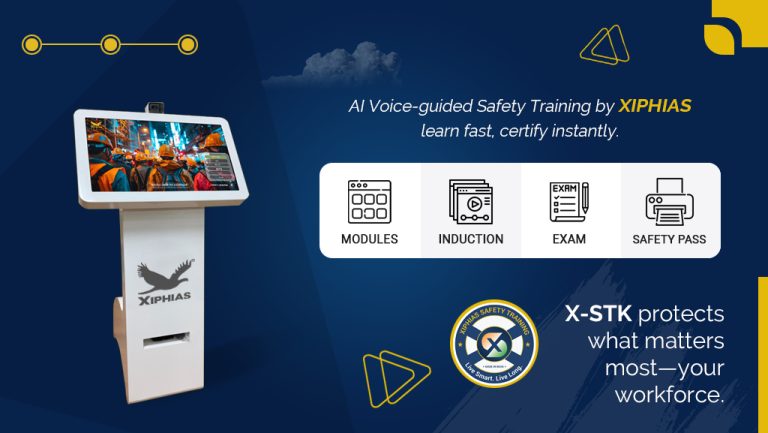
Looking for a kiosk-based option? XIPHIAS safety and training software combines guided video modules, built-in assessments, instant certification and a live admin dashboard. Book a free demo to see how it works for your workforce.