
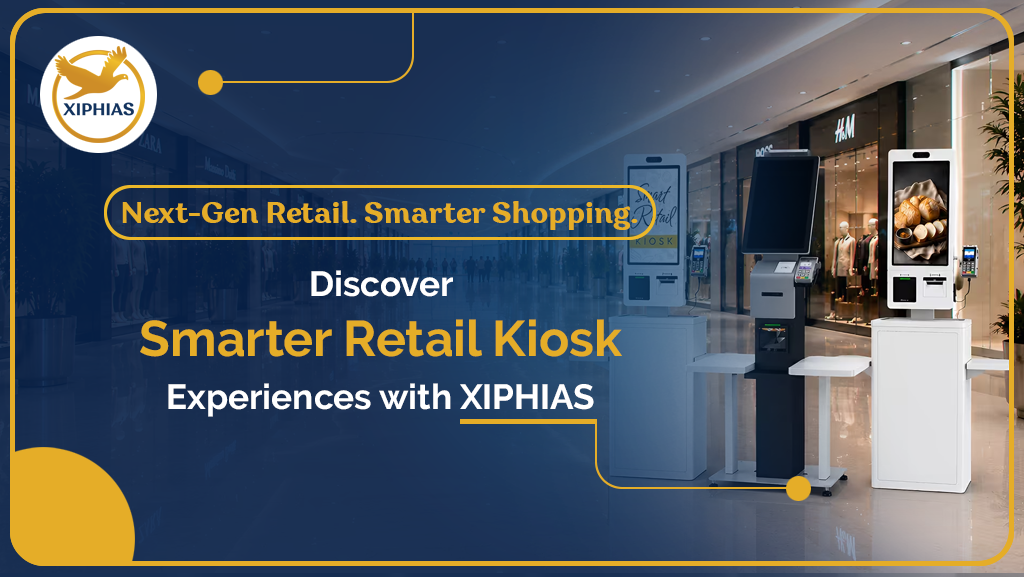
Retail Kiosks: Features, Uses and Benefits Explained
A retail kiosk is an interactive, self-service touch screen that lets customers browse products, place orders and pay without waiting for staff. Retailers use kiosks to shorten queues, answer product questions and offer a wider range than the shelves can hold.
What Is a Retail Kiosk?
A retail kiosk is a standalone or wall-mounted unit with a touch screen, kiosk software and often a payment terminal, scanner or printer. Customers use it on their own to search products, check prices, view promotions or complete a purchase.
The use of a kiosk in retail keeps growing because shoppers expect faster, more independent service. A retail self service kiosk gives them that, while staff focus on customers who need personal help.
How Does a Retail Kiosk Work?
- Hardware: a commercial-grade display and enclosure, often a retail touch screen kiosk, with optional barcode scanners, card readers and receipt printers.
- Kiosk software: the interface customers use for product search, ordering and checkout.
- Cloud CMS: a dashboard for updating prices, promotions and product information across every store.
Together, these make up a complete retail self service solution.
Key Features of a Retail Kiosk
- Simple touch screen interface for first-time users
- Product search and catalogue browsing, including items not stocked in store
- Integrated card, contactless and mobile wallet payments
- Wayfinding to guide shoppers to the right aisle
- Remote content updates across locations
- Usage analytics
- Durable, secure housing built for public spaces
Types of Retail Kiosks
- Self-checkout kiosks: customers scan and pay for items themselves.
- Product lookup and endless aisle kiosks: shoppers search the full catalogue and order items that are not on the shelf.
- Wayfinding and information kiosks: useful in malls and large stores.
- Outdoor retail kiosks: weather-resistant units with bright, sunlight-readable screens, used at entrances and open-air shopping areas.
- Custom retail kiosks: units designed around a specific brand, space, or workflow, with the right peripherals and finish.
Where Are Retail Kiosks Used?
- Supermarkets and grocery stores for self-checkout
- Fashion and electronics stores for product lookup and ordering
- Shopping malls for directories and promotions
- Quick-service restaurants and cafes for ordering
- Convenience stores and petrol stations for fast payment
- Pharmacies and specialty stores for product information
Benefits of Retail Kiosks
- Shorter queues: customers can pay without waiting for a free counter.
- Better customer experience: instant product information helps shoppers decide faster.
- Lower staffing pressure: staff spend less time on routine transactions.
- Higher order value: on-screen suggestions encourage add-on purchases.
- Wider product range: endless aisle kiosks let you sell more than your shelf space allows.
- Consistent messaging: cloud management keeps prices and promotions accurate everywhere.
How to Choose the Right Retail Kiosk
- Define the purpose: checkout, ordering, product lookup, or wayfinding.
- Match the environment: indoor, semi-outdoor, or outdoor.
- Check hardware quality: screen brightness, touch response, enclosure, and warranty.
- Confirm integrations: POS, inventory, and payment systems.
- Look for cloud management: it saves time as you add stores.
- Consider customization: a custom design may fit your brand and layout better.
- Plan for support: installation, training, and after-sales service matter as much as the unit.
Frequently Asked Questions
What is a retail kiosk?
A retail kiosk is an interactive, self-service touch screen placed in a store so customers can browse products, order, and pay on their own.
How is a retail kiosk different from a POS?
A POS is operated by staff to process sales. A kiosk is operated by the customer and often includes product search and ordering as well as payment.
Can retail kiosks be used outdoors?
Yes. Outdoor retail kiosks use weather-resistant housing, high-brightness displays and temperature management.
Can a retail kiosk be customized?
Yes. A custom retail kiosk can be designed for your branding, screen size, peripherals, and software needs.
Do retail kiosks replace staff?
No. They handle routine tasks so staff can focus on service and sales.
Final Thoughts
A well-planned retail self service kiosk helps stores serve more customers, share product information quickly, and keep content consistent across locations. Whether you need an indoor retail touch screen kiosk, an outdoor unit, or a custom design, start with the problem you want to solve and choose hardware and software to match.
Ready to explore retail kiosk solutions? Contact Xiphias for a free consultation.
